You have designed a website, application or interactive digital product for your MYP Digital Design ePortfolio. The interface looks polished, the buttons work and the final product solves a problem.
But how do you demonstrate that your work meets Criteria A, B, C and D?
Do you need screenshots of every development stage? What should a design specification contain? How do you prove that your testing was meaningful?
These questions are particularly relevant to MYP 5 students preparing for eAssessment.
In a September 2026 r/IBMYP discussion, a student specifically requested Digital Design ePortfolio samples to understand what a completed submission might look like.
The challenge is that a strong MYP Design ePortfolio demonstrates the design process, not simply the quality of the finished product.
The International Baccalaureate assesses how students investigate problems, develop ideas, create solutions and evaluate results.
This guide explains the four assessment criteria and develops an original portfolio example showing what relevant evidence could look like.
What Is the MYP Digital Design ePortfolio?
The MYP Digital Design ePortfolio is a coursework-based assessment available to students in the final year of the IB Middle Years Programme.
According to the official IB ePortfolio guidance, Design is one of the subject groups assessed through an optional ePortfolio rather than an on-screen examination.
Students develop and document a design solution as part of a prescribed learning unit.
Their work is assessed by teachers, with the IB externally moderating samples to maintain consistent standards.
Importantly, not every MYP student must complete a Design ePortfolio for external assessment.
Schools choose whether to register students for the optional MYP eAssessment.
This is also separate from the MYP Personal Project, which is a distinct requirement in the final year.
Understand the Four MYP Design Criteria
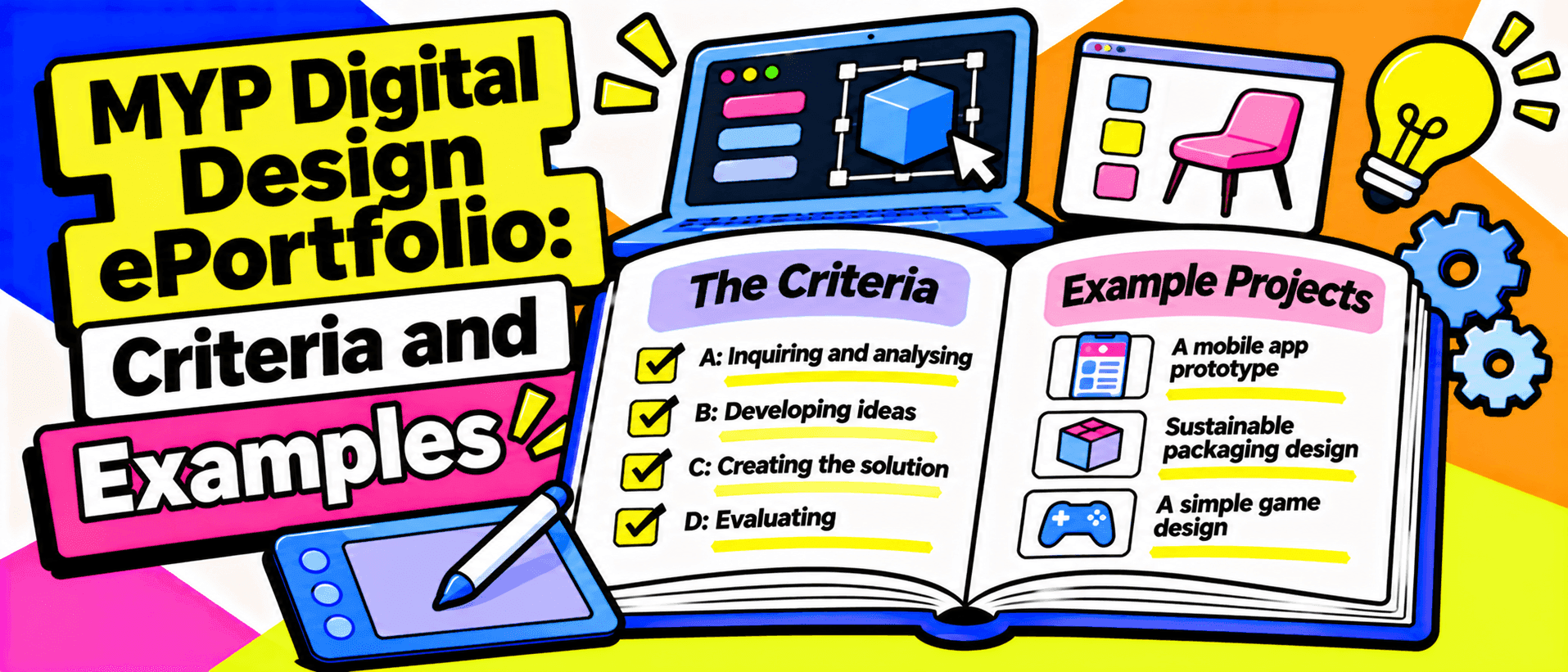
The IB MYP Design curriculum uses four stages of the design cycle.
Each corresponds to an assessment criterion.
| Criterion | Official title | Maximum achievement level |
|---|---|---|
| A | Inquiring and analysing | 8 |
| B | Developing ideas | 8 |
| C | Creating the solution | 8 |
| D | Evaluating | 8 |
| Total | 32 |
The four criteria are equally weighted.
Achievement is judged against performance descriptors, with each criterion awarded a level from 0 to 8.
The combined criterion total is subsequently used within the MYP grading process. It should not be confused with the final MYP subject grade, which uses a 1 to 7 scale.
Understanding the four criteria helps students organise the evidence they need.
Check Your Session-Specific ePortfolio Task First
Before following any online portfolio example, read the instructions provided by your teacher.
The IB's ePortfolio preparation guidance confirms that schools must use the partially completed unit planner issued for the relevant assessment session.
A prescribed global context also informs the assessment.
The unit planner shapes the learning experiences and evidence students must produce.
This means an example created for one examination session may not match the requirements of another.
The IB's official materials for each session are available to authorised schools through the Programme Resource Centre.
Use portfolio examples to understand effective design thinking, not as templates to reproduce without considering your actual task.
Original MYP Digital Design Portfolio Example
Consider an original project called ClubConnect, a mobile-friendly website that helps students discover school clubs and activities.
The hypothetical client is a school's student activities coordinator.
The target audience is MYP students who want to find extracurricular opportunities.
The identified problem is that information about clubs is scattered across posters, emails and classroom announcements.
Students may struggle to find reliable details about meeting times, locations and registration procedures.
The proposed solution is a simple digital noticeboard with searchable club listings.
This is a fictional educational example, not an actual student submission or official IB ePortfolio task.
Criterion A: Inquiring and Analysing
<text inline strong>Maximum achievement level: 8</text>
Criterion A focuses on identifying a genuine design problem and using research to understand the client's and target audience's needs.
MYP 5 students are expected to justify the need for a solution, prioritise research, analyse existing products and develop a design brief.
Example A1: Explaining the Problem
A weak portfolio statement might say:
Students need a website to find clubs.
This identifies a possible solution but provides little justification.
A more developed statement could explain:
The school activities coordinator needs an accessible way to communicate club information because announcements are currently distributed across several channels. Students who miss individual announcements may struggle to discover available activities or identify current meeting details.
This is more useful because it identifies the client, intended users and specific problem.
The student should then collect genuine evidence to establish whether the problem exists.
Example A2: Planning Research
A research plan might include:
| Research activity | Purpose | Priority |
|---|---|---|
| Interview the activities coordinator | Identify essential information and administrative needs | High |
| Survey potential student users | Investigate how students currently discover clubs | High |
| Examine existing school communication methods | Identify weaknesses in the current process | High |
| Analyse comparable digital directories | Investigate effective navigation and information layouts | High |
| Research accessible web design | Identify usability and readability considerations | Medium |
Students should explain why each investigation is relevant.
They should also distinguish primary research, collected directly from participants, from secondary research using existing information.
For example, studying established accessibility guidance can help inform design decisions. The W3C Web Content Accessibility Guidelines provide a recognised reference for web accessibility.
Example A3: Analysing Existing Products
An effective portfolio examines several comparable products.
Rather than pasting screenshots, students should explain what each product does well, what it does poorly and which ideas are relevant.
For ClubConnect, the student might compare a school website, a searchable events directory and a mobile community platform.
The resulting design brief should connect the research findings to the proposed solution.
Criterion A evidence: Research plan, interview or survey findings, annotated product comparisons and a justified design brief.
Criterion B: Developing Ideas
<text inline strong>Maximum achievement level: 8</text>
Criterion B assesses how students translate their investigation into a feasible solution.
This includes developing design specifications, exploring alternative ideas, justifying the chosen design and producing detailed planning diagrams.
Example B1: Writing Measurable Design Specifications
A weak specification might state:
The website should look attractive and be easy to use.
These qualities are difficult to evaluate objectively.
A stronger specification identifies specific success criteria.
| Design requirement | Proposed success criterion | Testing method |
|---|---|---|
| Navigation | Users can reach a club's details within three interactions from the home screen | Task observation |
| Search | Users can locate a club by entering a relevant keyword | Functional test |
| Mobile compatibility | Main content remains usable at a 375-pixel viewport width | Responsive layout test |
| Readability | Normal text meets the selected contrast standard of at least 4.5:1 | Contrast checker |
| Accuracy | Published club details match the coordinator's approved information | Content verification |
These are illustrative project specifications, not IB-wide requirements.
The contrast target is informed by the WCAG 2.2 minimum contrast guidance.
The student must explain why each requirement matters to the intended users.
Example B2: Exploring Alternative Designs
ClubConnect might begin with three layout concepts.
Concept 1: A searchable list of clubs.
Concept 2: A card-based directory with category filters.
Concept 3: A calendar-first interface organised around meeting dates.
The student could create annotated wireframes showing the navigation, content hierarchy and key interactions.
They might then select Concept 2 because it supports browsing by interest while retaining search functionality.
A strong justification would compare the options against the research and design specifications.
Criterion B evidence: Measurable specifications, multiple annotated wireframes, a justified selection and sufficiently detailed diagrams for creating the chosen solution.
Criterion C: Creating the Solution
<text inline strong>Maximum achievement level: 8</text>
Criterion C focuses on how the student plans and creates the digital product.
The MYP 5 objectives include developing a logical production plan, demonstrating technical skills, following the plan, justifying changes and presenting the solution.
Example C1: Planning the Development
A useful production plan might look like this:
| Development stage | Main task | Expected evidence |
|---|---|---|
| 1 | Set up project files and page structure | File structure screenshot |
| 2 | Develop the responsive layout | Screenshots at different screen widths |
| 3 | Build club cards and search functionality | Code excerpts and functional demonstrations |
| 4 | Add navigation and accessibility features | Annotated interface screenshots |
| 5 | Debug and refine the product | Test records and development notes |
The plan should contain sufficient detail for another student with appropriate technical skills to understand the sequence.
For a web project, the student might demonstrate HTML, CSS and JavaScript skills.
A different project may use a prototyping platform or another development tool, depending on the assigned task and intended solution.
Example C2: Explaining a Design Change
Suppose the initial design uses small category icons without labels.
During development, the student notices that the categories are difficult to distinguish.
A weak explanation would say:
I changed the icons because the new design looks better.
A stronger explanation would state:
The original category navigation depended heavily on icon recognition. I added visible text labels to reduce ambiguity and support users unfamiliar with the symbols. This change was consistent with the research finding that students needed to identify relevant activities quickly.
This explains why the design changed and how the revision supports the original requirements.
The actual portfolio should include authentic development evidence rather than invented accounts of modifications.
Criterion C evidence: Production plan, dated progress records, technical demonstrations, justified changes and the completed digital solution.
Criterion D: Evaluating
<text inline strong>Maximum achievement level: 8</text>
Criterion D assesses whether the student can measure the solution's success and evaluate its impact.
It requires relevant testing methods, critical evaluation against specifications, justified improvements and consideration of the target audience.
A statement such as "My website works well" is insufficient.
Students need evidence showing how effectively the solution addresses the original problem.
Example D1: Testing the Product
ClubConnect could be tested using realistic user tasks.
For example, participants might be asked to locate the school's robotics club, find its meeting day and identify how to register.
The student could record whether participants completed each task, how long they took and where confusion occurred.
An illustrative test record might look like this:
| Test | Hypothetical result | Interpretation |
|---|---|---|
| Find a club within three interactions | 4 of 5 users succeeded | Navigation needs improvement |
| Find a club using search | 5 of 5 succeeded | Search met the proposed target |
| Access the site on a small screen | Layout remained usable | Responsive design met the tested requirement |
| Verify club information | One outdated meeting time discovered | Content accuracy needs improvement |
These numbers are fictional teaching examples. They must never be presented as actual user-testing results.
A real student should collect their own test data using an appropriate method.
Example D2: Writing a Critical Evaluation
A developed evaluation might explain:
The search feature met its success criterion during testing, but one participant had difficulty reaching a club's detailed information through the category navigation. This suggests that the interface supports keyword-based searching more effectively than exploratory browsing. Improving the category labels and repeating the navigation test would help determine whether the problem has been addressed.
This connects results, limitations and improvements.
Students should also discuss the product's impact on its intended audience.
For ClubConnect, that means considering whether students can access activity information more easily and whether the coordinator can maintain accurate listings.
Criterion D evidence: Testing methods, genuine results, evaluation against specifications, prioritised improvements and discussion of user impact.
What Should a Complete Digital Design ePortfolio Show?
The four criteria work together to tell the story of a design process.
| Criterion | Essential question | Relevant evidence |
|---|---|---|
| A | Why is a solution needed? | Research and design brief |
| B | What should the solution be? | Specifications, ideas and diagrams |
| C | How was the solution created? | Planning, technical development and completed product |
| D | How successful is the solution? | Testing, evaluation and improvements |
A polished website with almost no research evidence cannot demonstrate the full design cycle.
Similarly, detailed research without a functioning or appropriately developed solution leaves important creation evidence missing.
The IB's MYP Design curriculum explicitly emphasises a holistic process rather than judging only the final product.
How to Present Evidence Clearly
Effective documentation makes the student's decisions understandable.
For screenshots, include concise annotations explaining what the image demonstrates.
For example:
Figure 4: Revised mobile navigation showing text labels added after reviewing the clarity of category icons.
For code excerpts, explain the functionality rather than presenting large sections without context.
For research, connect findings to design choices.
Keep references to external images, software resources and research material clear.
Do not reproduce another student's ePortfolio as your own.
The exact permitted file formats, submission specifications and required evidence should be checked against the school's current IB instructions.
Common MYP Digital Design ePortfolio Mistakes
Students frequently weaken their portfolios by:
- Choosing a solution before investigating the problem.
- Treating survey results as useful without analysing them.
- Writing vague design specifications that cannot be tested.
- Presenting only one idea without exploring alternatives.
- Showing screenshots of the finished product but little development evidence.
- Describing changes without explaining their reasons.
- Testing whether features work without testing usability.
- Evaluating the product without referring to the original specifications.
The common issue is missing justification.
Strong design thinking connects each decision to evidence gathered earlier in the process.
Where Can You Find Official MYP Design Examples?
The IB provides assessment information through its official resources.
The MYP assessment and exams page explains how internal and external assessment operate.
The Understanding eAssessment page explains the purpose of ePortfolios and the broader assessment framework.
Teachers at authorised schools can also access session-specific unit planners, assessment procedures and support materials through the IB Programme Resource Centre.
Ask your teacher whether authorised exemplar materials and assessment commentary are available.
When examining examples, focus on how the student justifies decisions, documents development and evaluates evidence.
Do not assume that a previous student's exact page count, project theme or product format is mandatory for your session.
Final MYP Digital Design ePortfolio Checklist
Before submitting, check that:
- You understand the official task for your assessment session.
- Your design problem identifies a specific client or target audience.
- Research findings support your design brief.
- Your specifications contain meaningful success criteria.
- You have explored and justified alternative designs.
- Planning diagrams explain how the solution will be produced.
- Your development evidence demonstrates your technical work.
- Any design changes are explained and justified.
- Testing generates evidence relevant to the specifications.
- Your evaluation discusses results, limitations, improvements and user impact.
Final Verdict: What Makes a Strong MYP Digital Design ePortfolio?
A strong MYP Digital Design ePortfolio demonstrates the reasoning behind the final product.
Criterion A establishes the need for a solution.
Criterion B explains how the design was developed.
Criterion C shows how the solution was created.
Criterion D evaluates whether the solution achieved its purpose.
Students should make those connections visible through authentic research, specifications, development records and testing.
The objective is not to produce the largest possible portfolio or copy the layout of a successful submission.
It is to demonstrate a coherent design process in response to the requirements of the actual assessment task.
Show what problem you investigated, why you made each major design decision, how you created the solution and what your evidence reveals about its success.
For definitive guidance, consult the IB MYP Design curriculum, the MYP ePortfolio assessment information and the official ePortfolio preparation guidance.
Table of contents
Share
Related reading
- IB Computer Science IA 2027: Criteria, Format and ExamplesUnderstand the IB Computer Science IA 2027 rubric, 2,000-word report, video and code appendix. Explore a worked project example and practical evidence tips.
- IB Economics: Real-World Examples That Improve EssaysFind IB Economics real-world examples for essays. Explore verified policies, useful statistics and evaluation angles for Paper 1. Build your case bank today.
- IB Digital Society IA: Multimedia Inquiry Project GuidePlan your IB Digital Society IA with a focused inquiry question, credible sources, ethical analysis, assessment criteria and a 10-minute multimedia presentation.